

Vision
In 2023, I built Auth UI, a hosted login page for Appwrite apps. Developers configured a page in a dashboard and sent their users to it on *.authui.site. It still works for projects that set up a custom domain properly, but starting a new project with it became painful. Browsers now block or partition third-party cookies, so a session created on the Auth UI domain often couldn’t be read by the app, and signing in silently failed in Safari, Firefox and Brave.
Instead of patching it, I rebuilt Auth UI from scratch. That also let me redesign it around Appwrite’s new design system and make breaking changes safely.
Auth UI 2.0 is a library, not a hosted service. You add one script tag, place a config element with your Appwrite endpoint and project, and drop in a sign-in button and a user button. Everything runs on your own domain and talks straight to your Appwrite project, with no Auth UI backend in between. A no-code dashboard was limiting in ways a library isn’t, and a hosted service also meant everyone had to trust me to keep it online. Shipping the auth components as part of the site that uses them is much more reliable.
I built it with web components in Lit, so it works in any framework or in plain HTML, and added React components on top for the best experience in React.
Auth UI 2.0 also delivers every item from the original case study’s future plans:
- Account details, including changing email and phone with verification, and resetting a forgotten password
- Two-factor authentication with an authenticator app, email or SMS codes, and recovery codes
- Session management, including signing out other devices
- Linking and unlinking social accounts
- Deleting an account, which in Appwrite blocks it so an administrator can restore it
On top of that, it supports teams, authorized OAuth apps, Google One Tap, translations, and a preview mode that runs every screen without a backend.
It starts as an unofficial project. Once we see the community actively using it, we plan to make an official version at Appwrite, built on everything we learn from that feedback.
Technologies
- TypeScript and Lit 3 web components
- Appwrite Web SDK
- React wrappers
- Vitest with 251 tests
- Next.js and Fumadocs for the documentation
- Appwrite Sites for hosting
- npm and CDN distribution
The whole library, with Lit and the Appwrite SDK included, ships as one file of about 106 KB with brotli compression (130 KB with gzip).
Screens
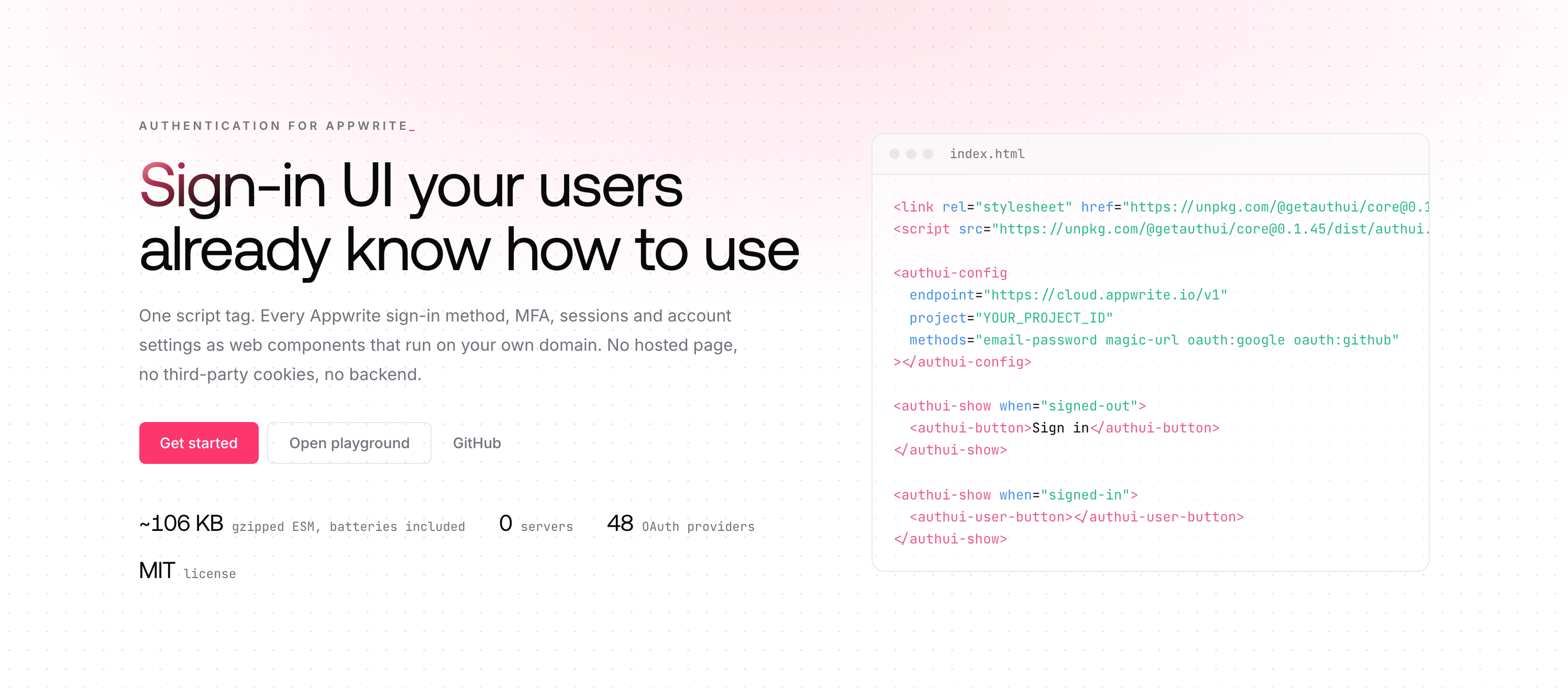
The landing page explains the idea in one line: sign-in UI your users already know how to use, from one script tag.
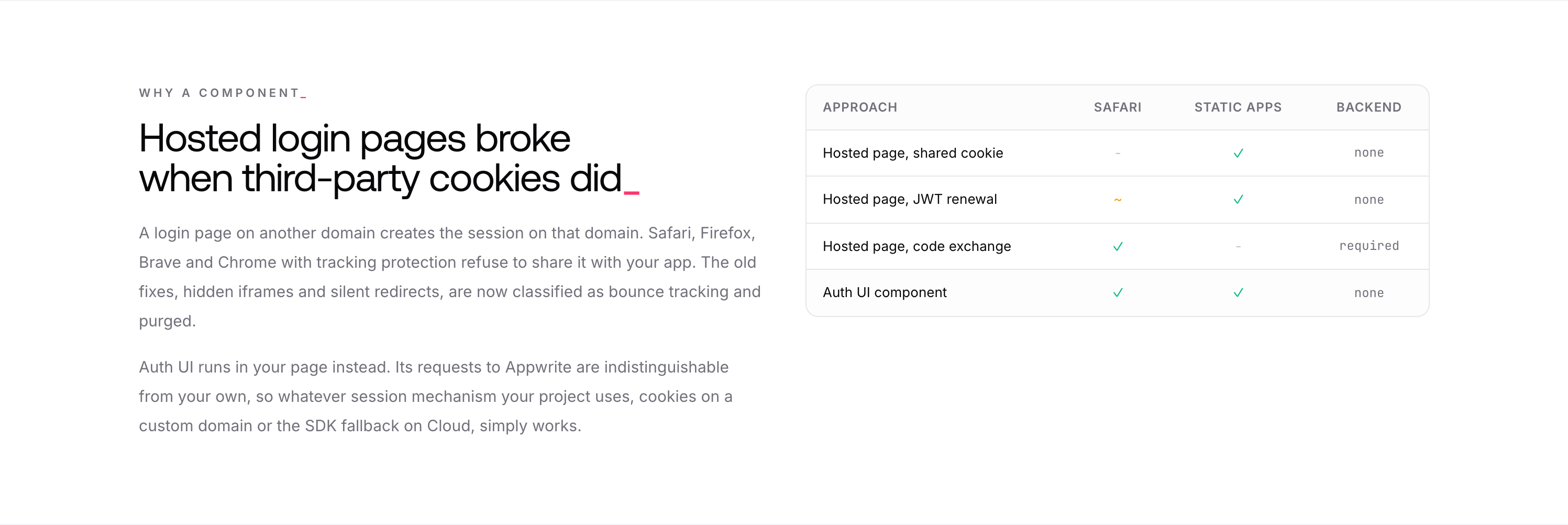
Right below, a table compares the ways to share a login across sites. Hosted login pages broke when third-party cookies did, and the workarounds either fail in Safari or need a backend. A component running on your own domain needs neither.
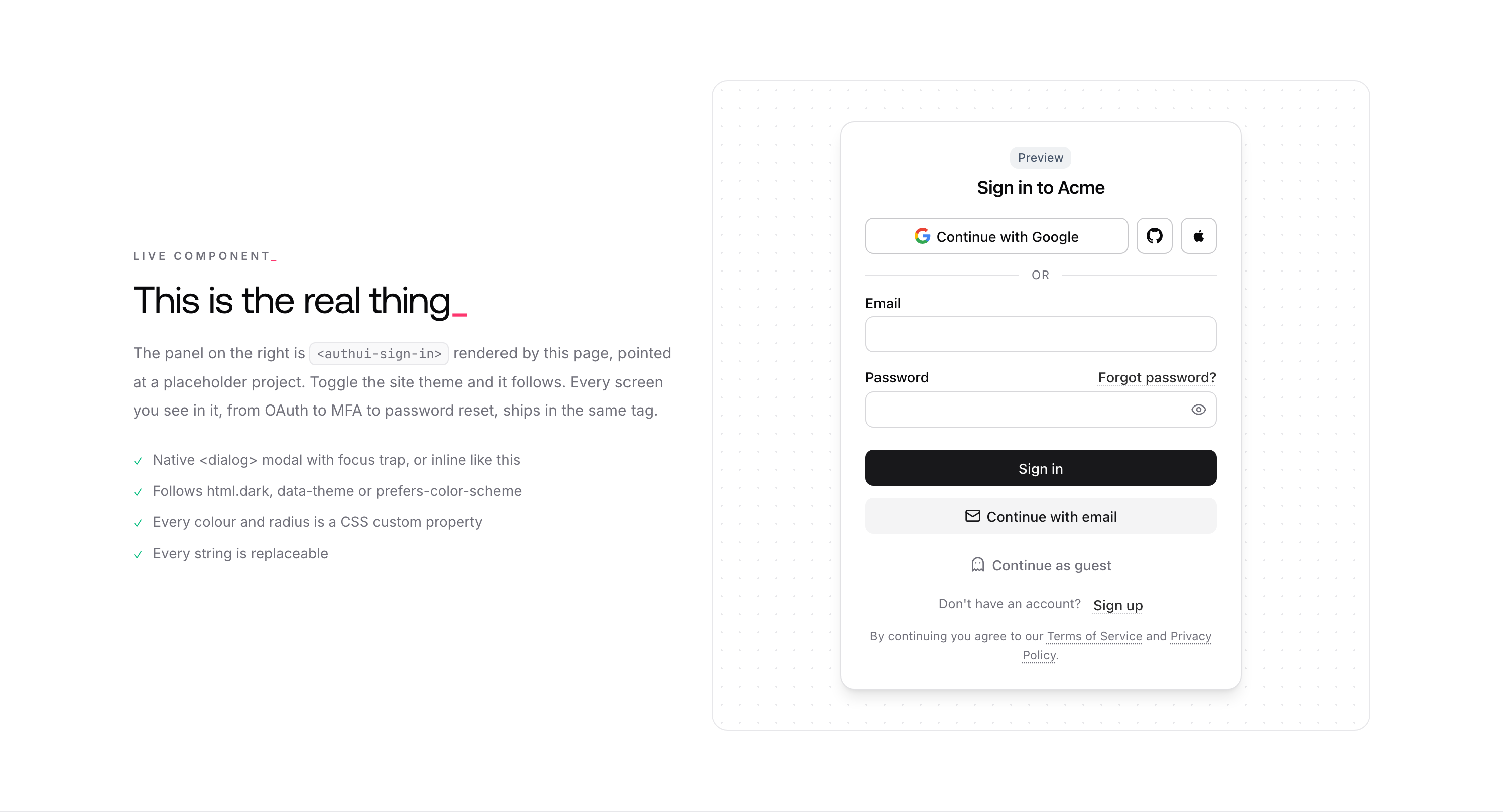
The landing page runs the real component in preview mode. Any credentials work and nothing touches the network, so visitors can click through every screen right away.
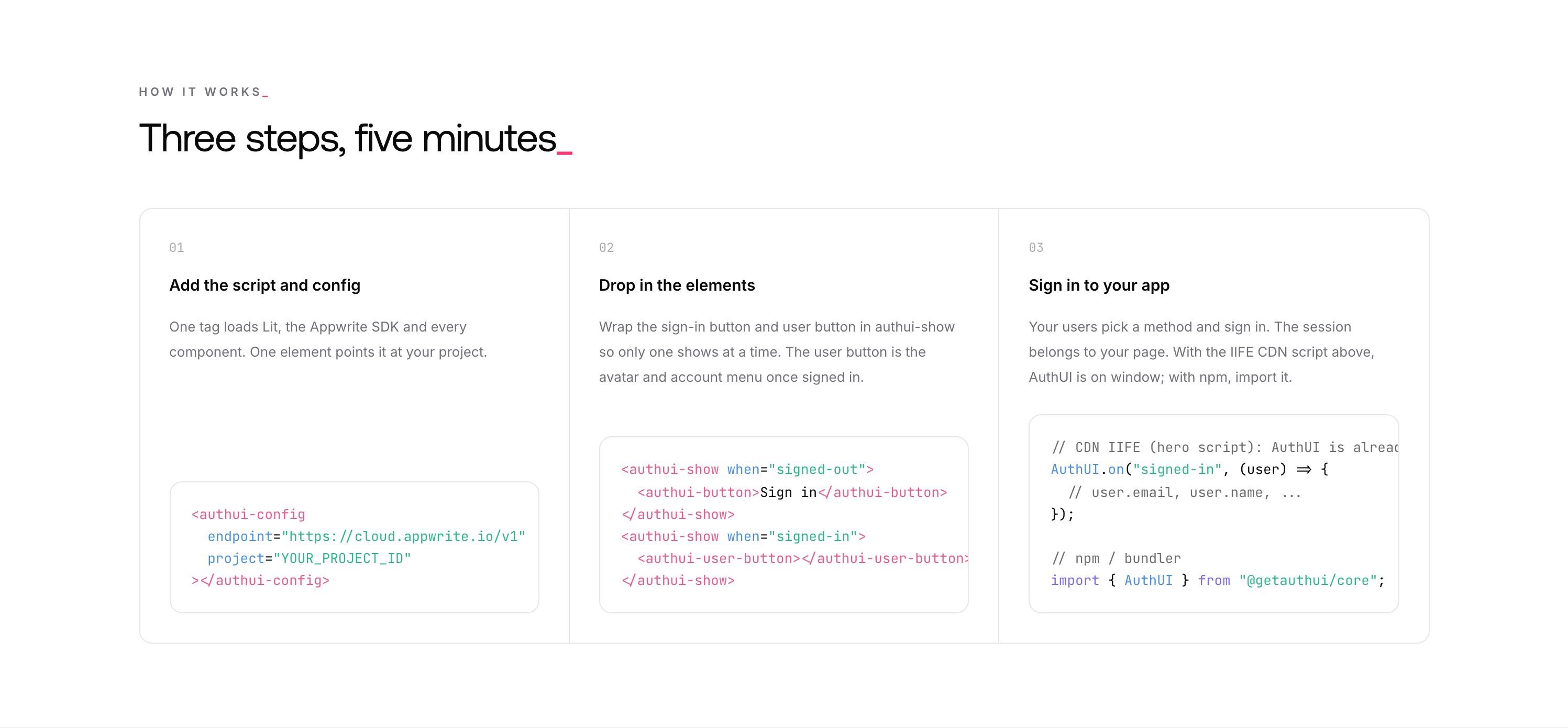
Getting started takes three steps: add the script with a config element pointing at your project, drop in the sign-in and user buttons, and your users can sign in. The session belongs to your page.
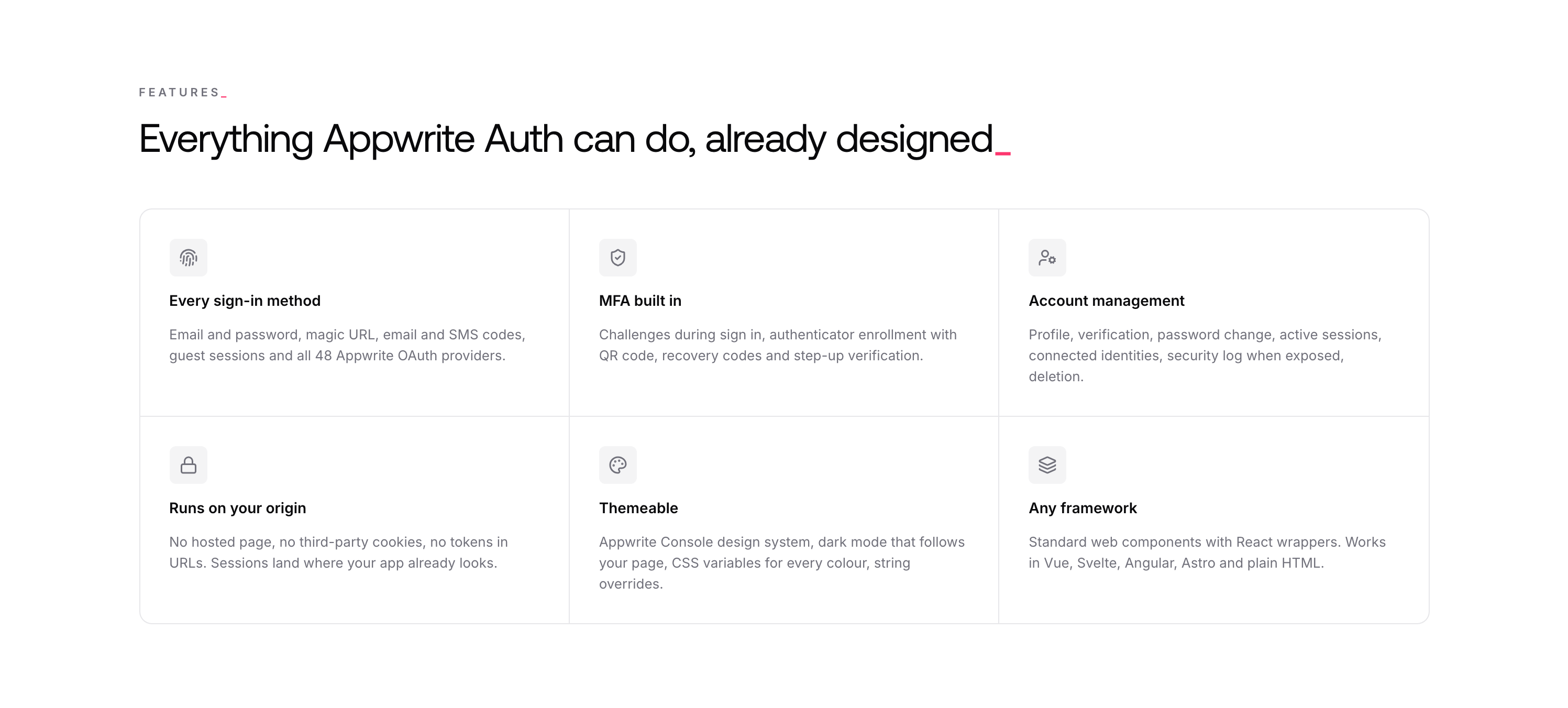
The features cover everything Appwrite Auth can do: every sign-in method, MFA, account management, running on your own origin, theming, and support for any framework.
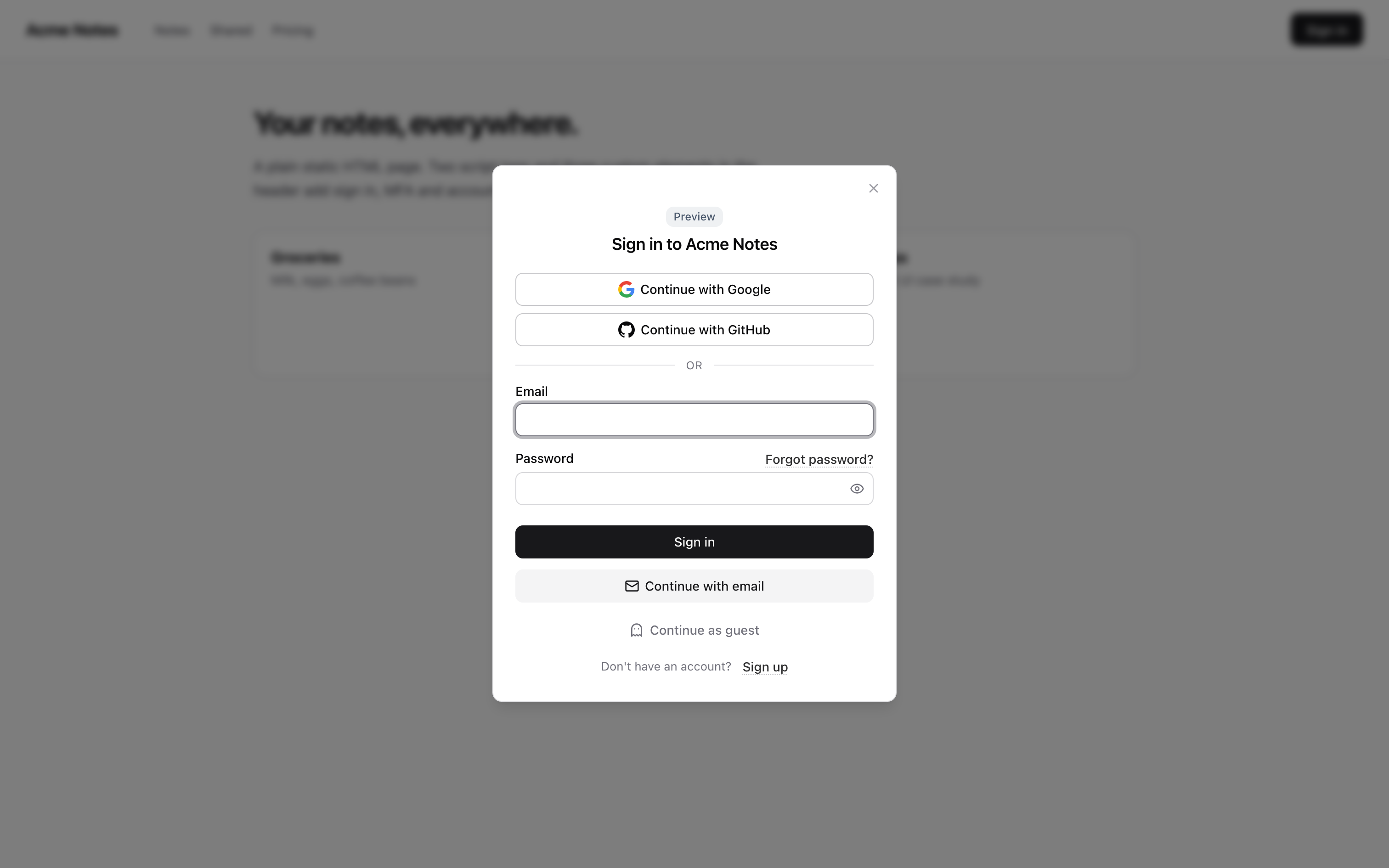
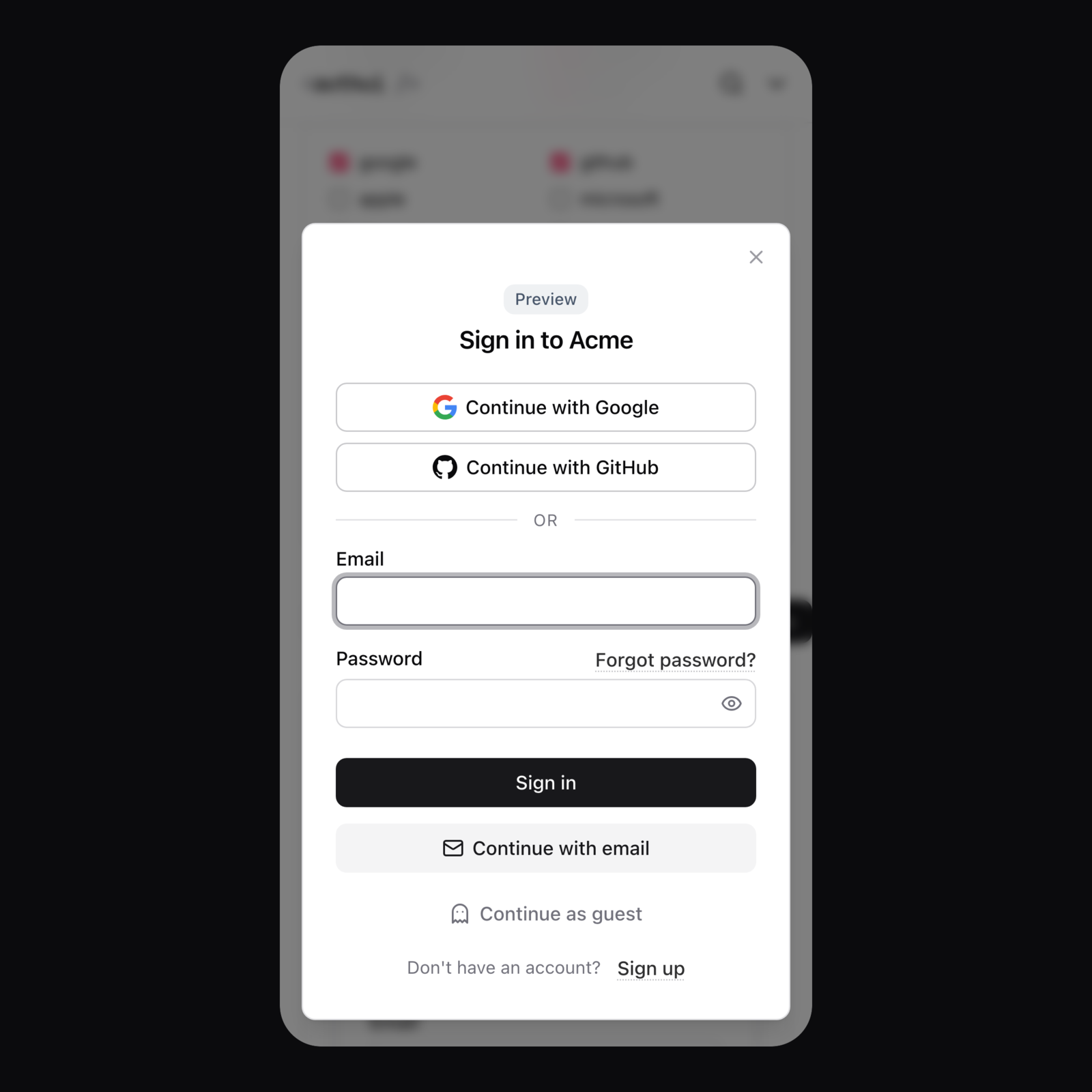
The same components work on a plain HTML page. The sign-in button opens a modal with the methods enabled in the config, from email and password to magic links, email and SMS codes, guest sessions, and OAuth with any Appwrite provider.
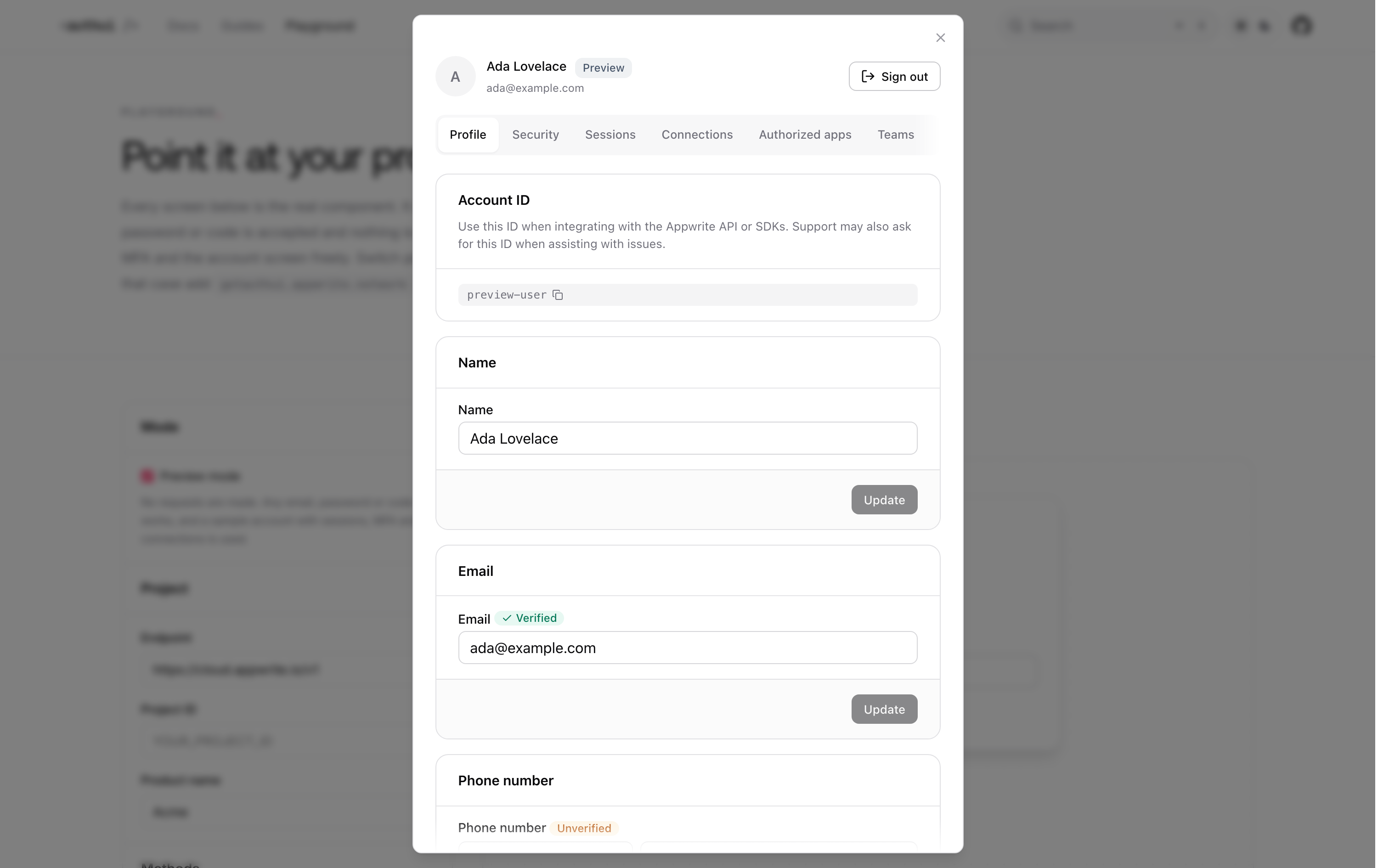
Behind the user’s avatar is a full account screen. The profile tab manages name, email and phone, and other tabs cover security, sessions, connections, authorized apps and teams.
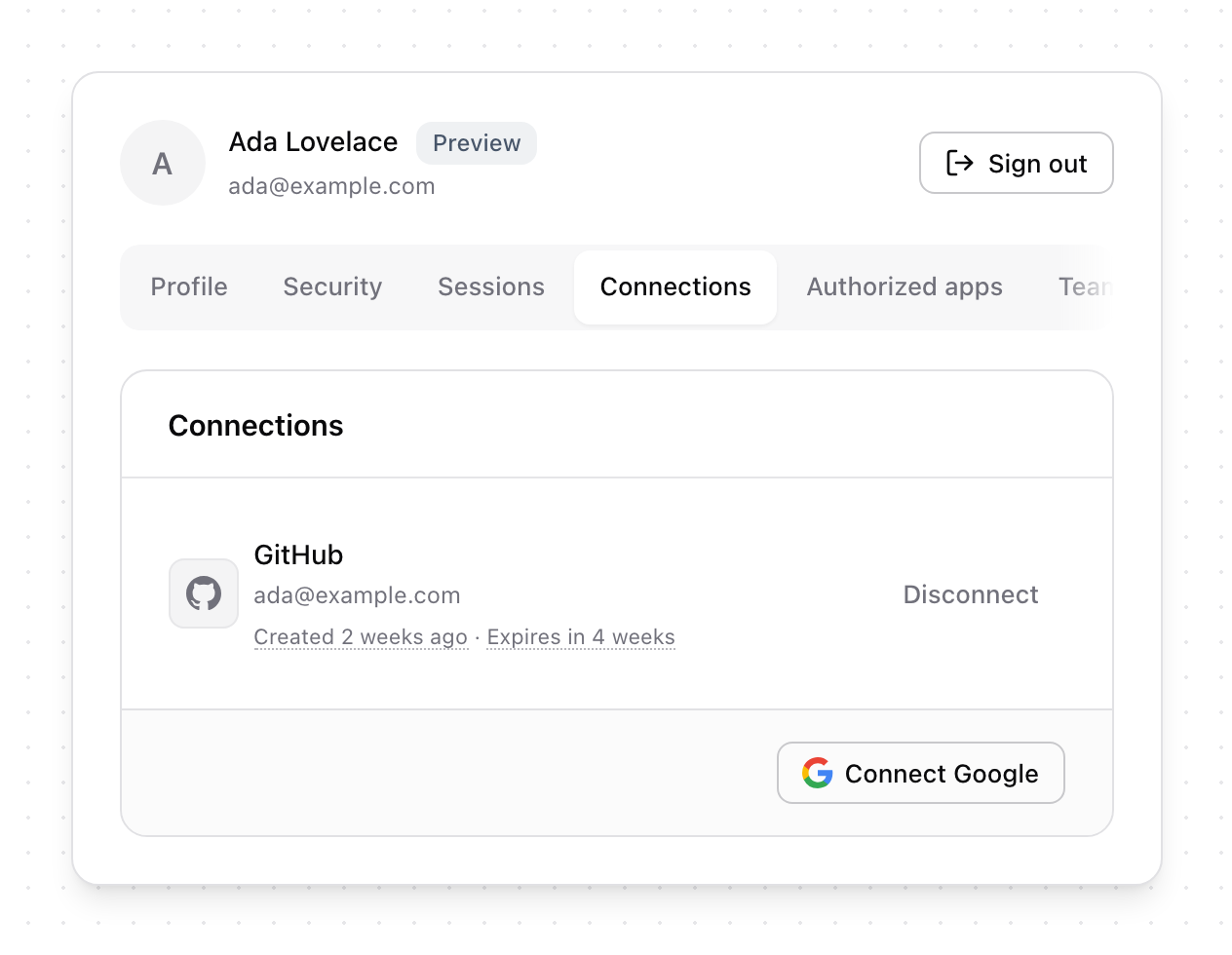
Connections show linked social accounts, with buttons to connect any configured provider or disconnect an existing one.
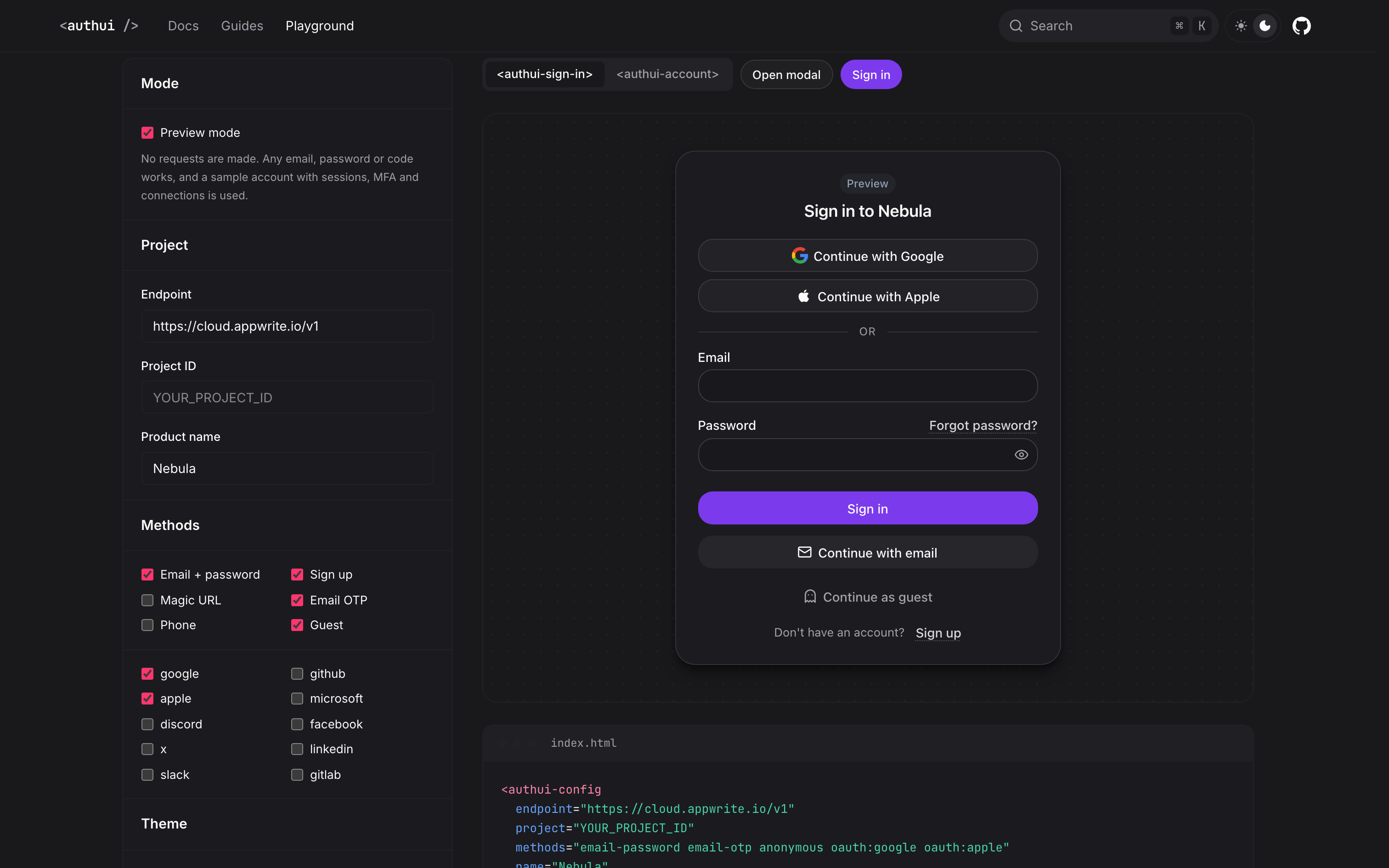
The part I’m proudest of is customizability. I know the base design is solid, but I also know everyone will want to change it, and Auth UI makes that possible. The playground lets you try methods, providers, themes, colours and corner radius, and generates the config for you.
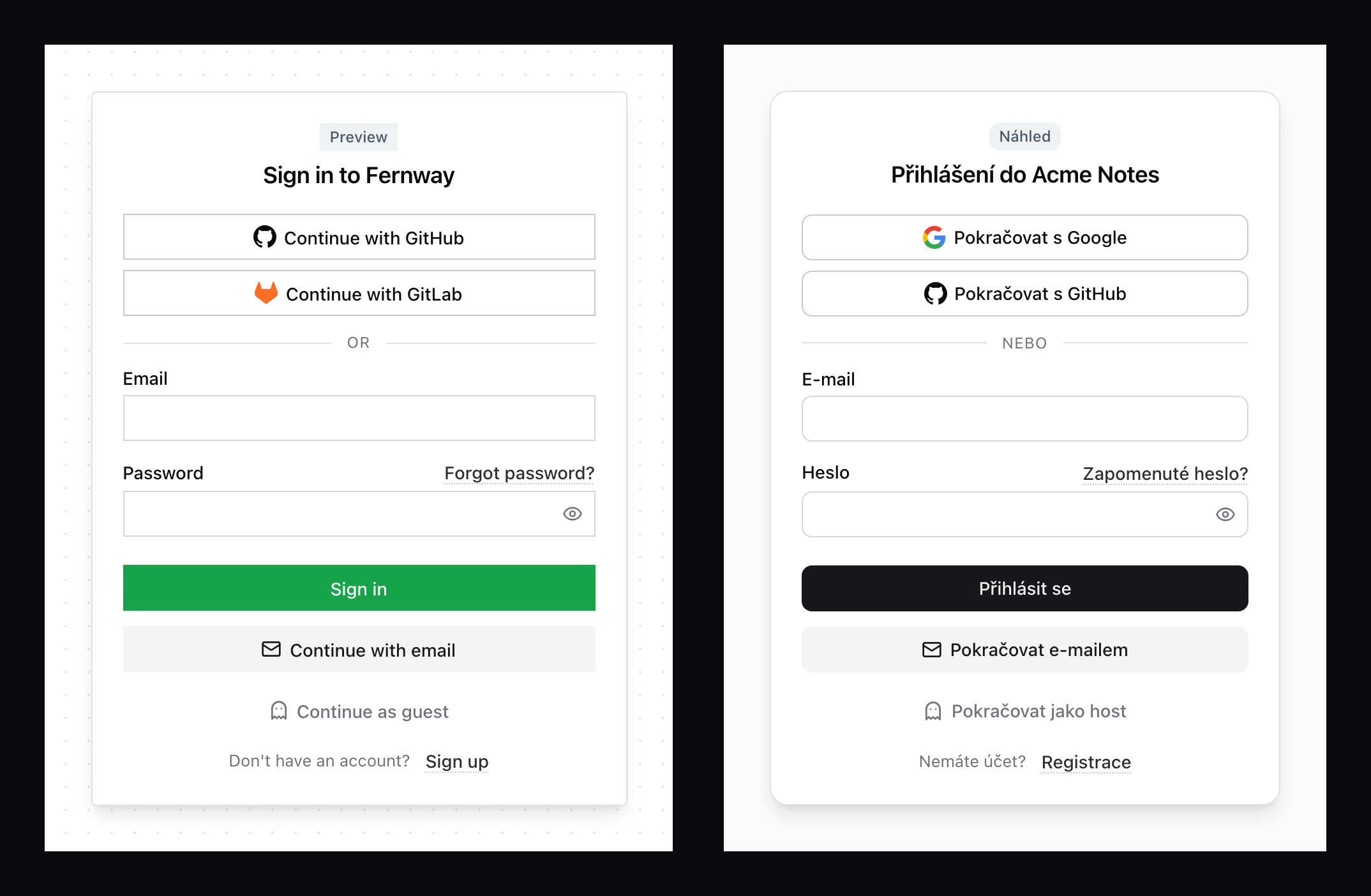
Every colour, radius and font is a CSS variable, and every text can be overridden or translated. Czech, German and French come built in.
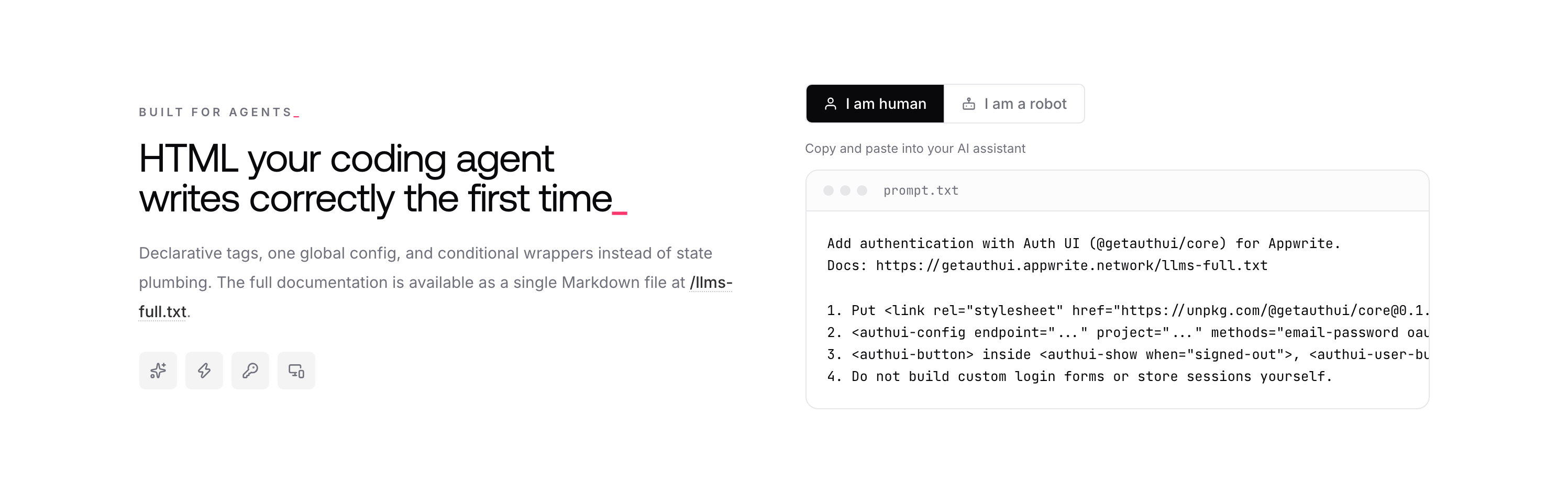
The documentation is written for AI agents too. Every page is available as Markdown, there is an llms.txt, and a skill teaches agents how to add Auth UI to a project. I have used it myself in a few projects to skip building auth UI from scratch.
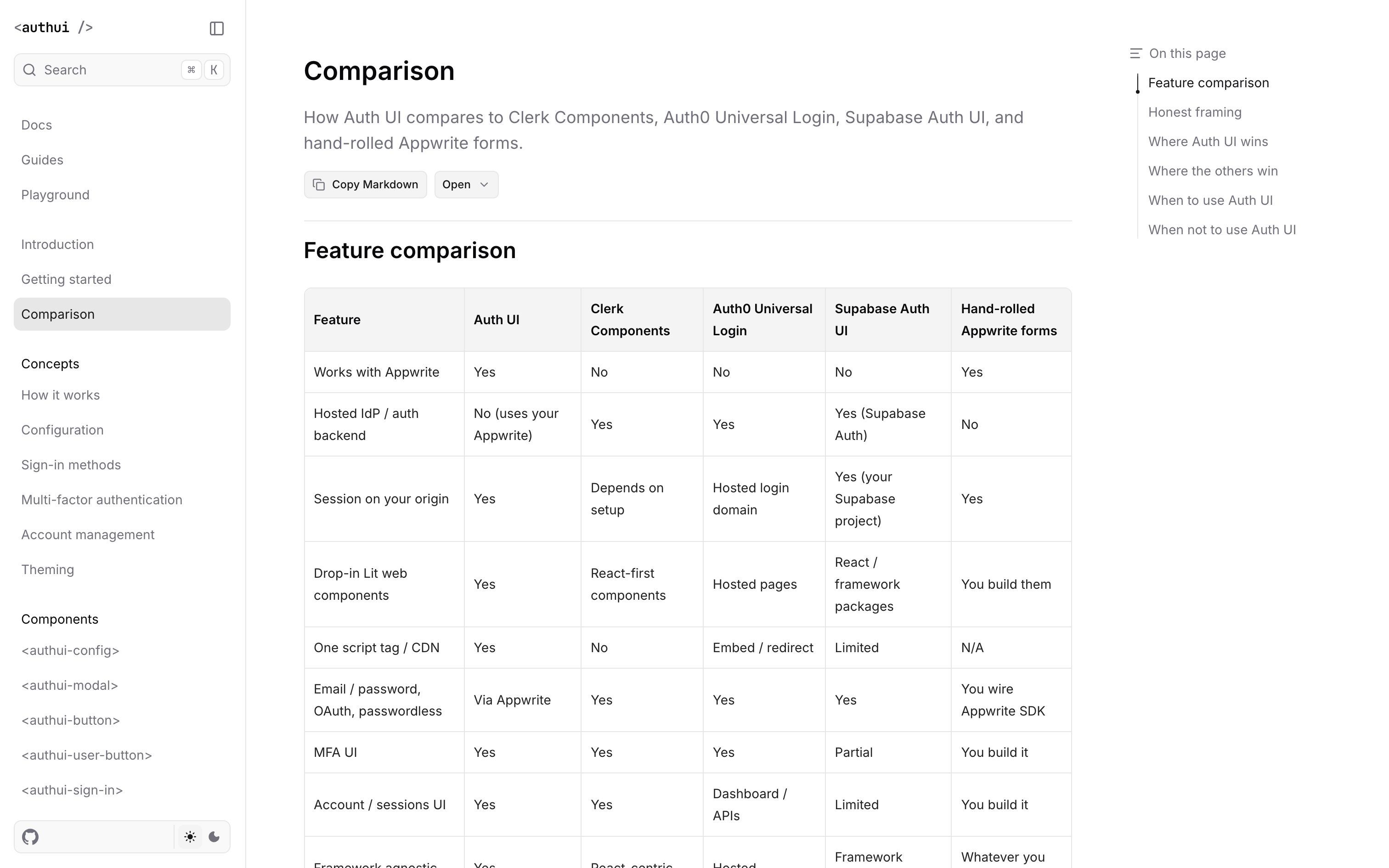
The docs also compare Auth UI with Clerk, Auth0 and Supabase, including where the others win and when not to use Auth UI.
The same modal on a phone.
Retrospective
Auth UI 2.0 was built mostly with agentic programming, and a lot of it ran autonomously with Grok Bot. I made the decisions and gave feedback, and the agents did the work. An agent also ran a routine to hunt for bugs in different areas: the docs, the SDK, UI, UX, accessibility, and feature parity with competitors. That’s why there were 46 npm releases in the first nine days. Agents kept up with every bug and improvement that the bot or I found.
The hardest parts were where sessions end up, now that third-party cookies are gone, making the design customizable through shadow DOM, and keeping up with changes in the Appwrite SDK.
I announced it to the Appwrite community, and developers tried it right away. I’m happy to see the number of developers using it grow. For existing users, the docs include a guide for migrating from the first version.
The biggest lesson was about trust. This project let me trust agents and bots more, step fully away from the codebase, and focus on tooling, processes, quality of the result, and ideas. If I did it again, I would replace Grok Bot, which felt limiting. Going forward I’ll use OpenMausBot, an open-source alternative that gives much more control over the bot’s soul, instructions, skills, and MCP tools.
Future plans
I’ll let the community of developers using Auth UI grow. When the time is right, I’d like to turn it into an official product, natively part of Appwrite.